

Buy X Get Y
A reward granted when a specified quantity of certain products is purchased: either free products, or a fixed-amount discount.
Creating the offer
Click “New Promotion” and choose “Buy X Get Y”, then fill in the common fields (name, offer period, and point of sale) as on the “Discount & Promotion” page, and the following “Offer Rules” fields:
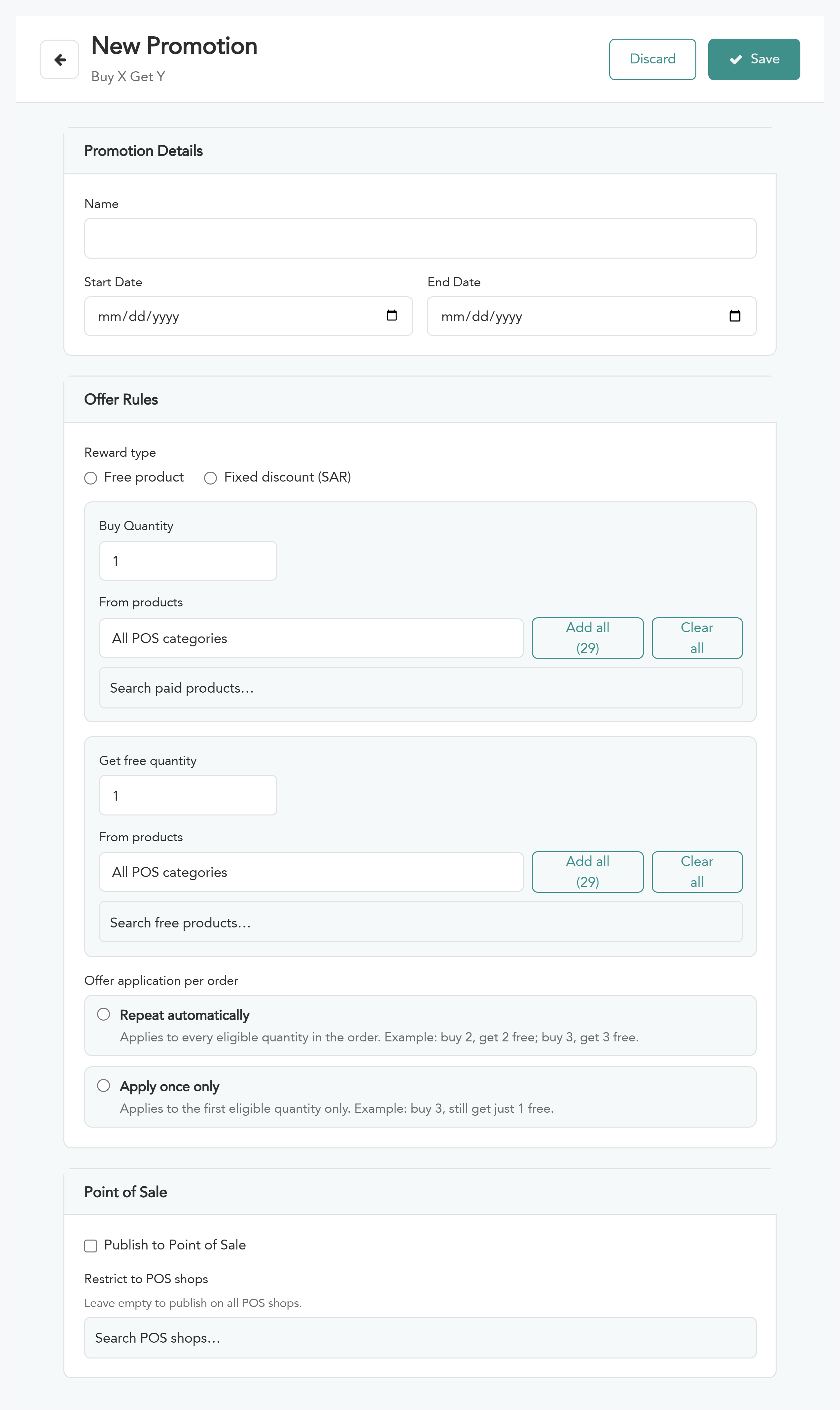
“Reward type” — “Free product” or “Fixed discount (SAR)”. The fields below change depending on the choice.
Purchase condition (common to both types)
“Buy Quantity” — the number of units that must be purchased to earn the reward.
“From products” — the products covered by the condition. Choose a category from the list or search for a product, and use “Add all” to add all the category's products or “Clear all” to empty the selection.
If you choose “Free product”
“Get free quantity” — the number of free units.
“From products” — the products given for free.
“Offer application per order” — how the reward is calculated in the order:
Repeat automatically — the offer applies to every eligible quantity in the order. Example: 2 pieces = 2 free pieces, 3 pieces = 3 free pieces.
Apply once only — the offer applies to the first eligible quantity only and does not repeat however much the quantity grows. Example: 3 pieces = 1 free piece only.
If you choose “Fixed discount (SAR)”
“Discount amount (SAR)” — the value of the fixed discount.
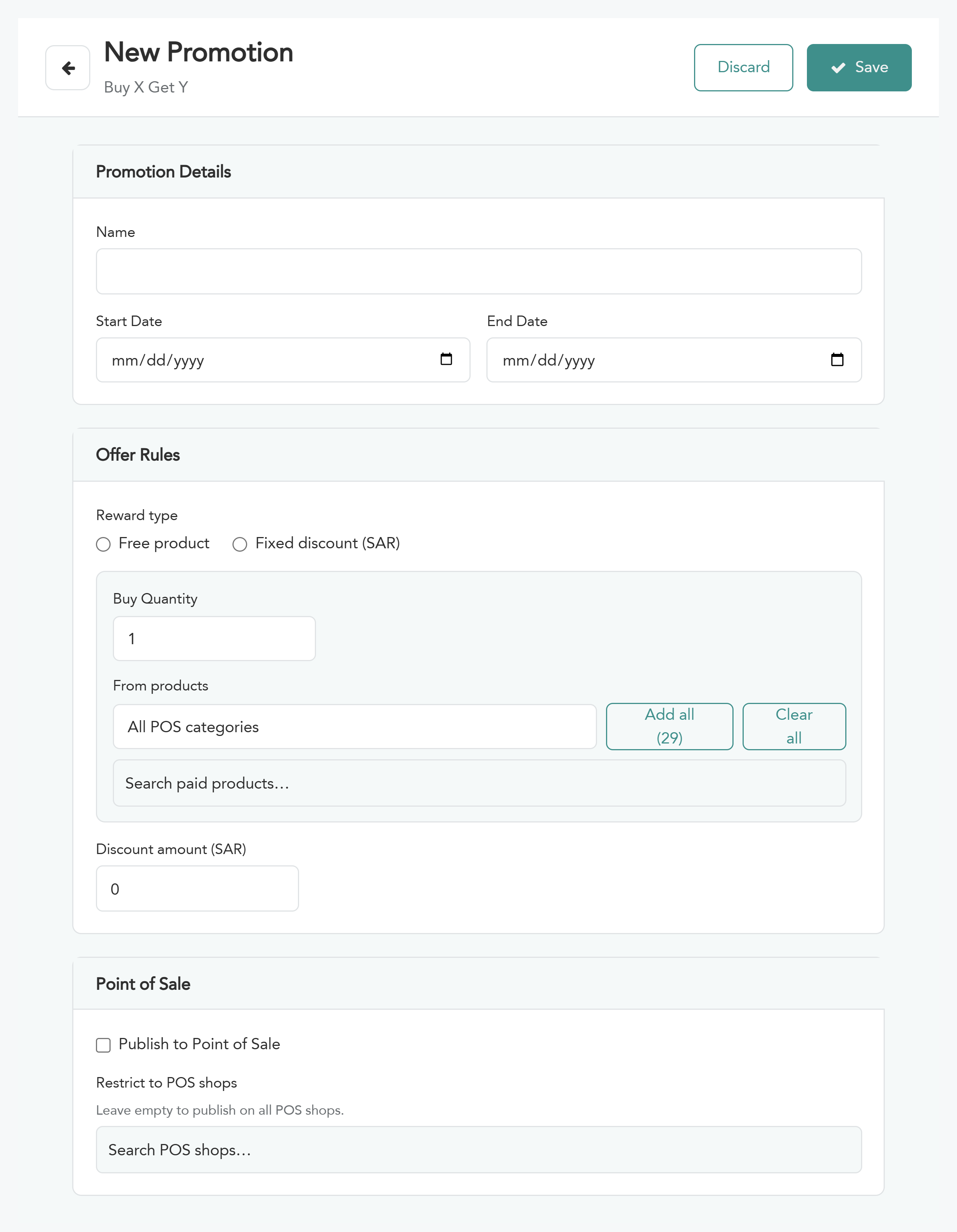
Click “Save” to confirm the offer.