

Units of Measure
The unit of measure determines how product quantities are counted: by piece, by kilogram, by litre, or any unit that suits the business. This section allows adding custom units and tying them to a base unit through a conversion ratio.
The base unit and the conversion ratio
Every unit family revolves around a single “base unit” that the other units refer to. The kilogram is the base unit for weight, the gram is defined as 0.001 of it, and the tonne as 1000 of it.
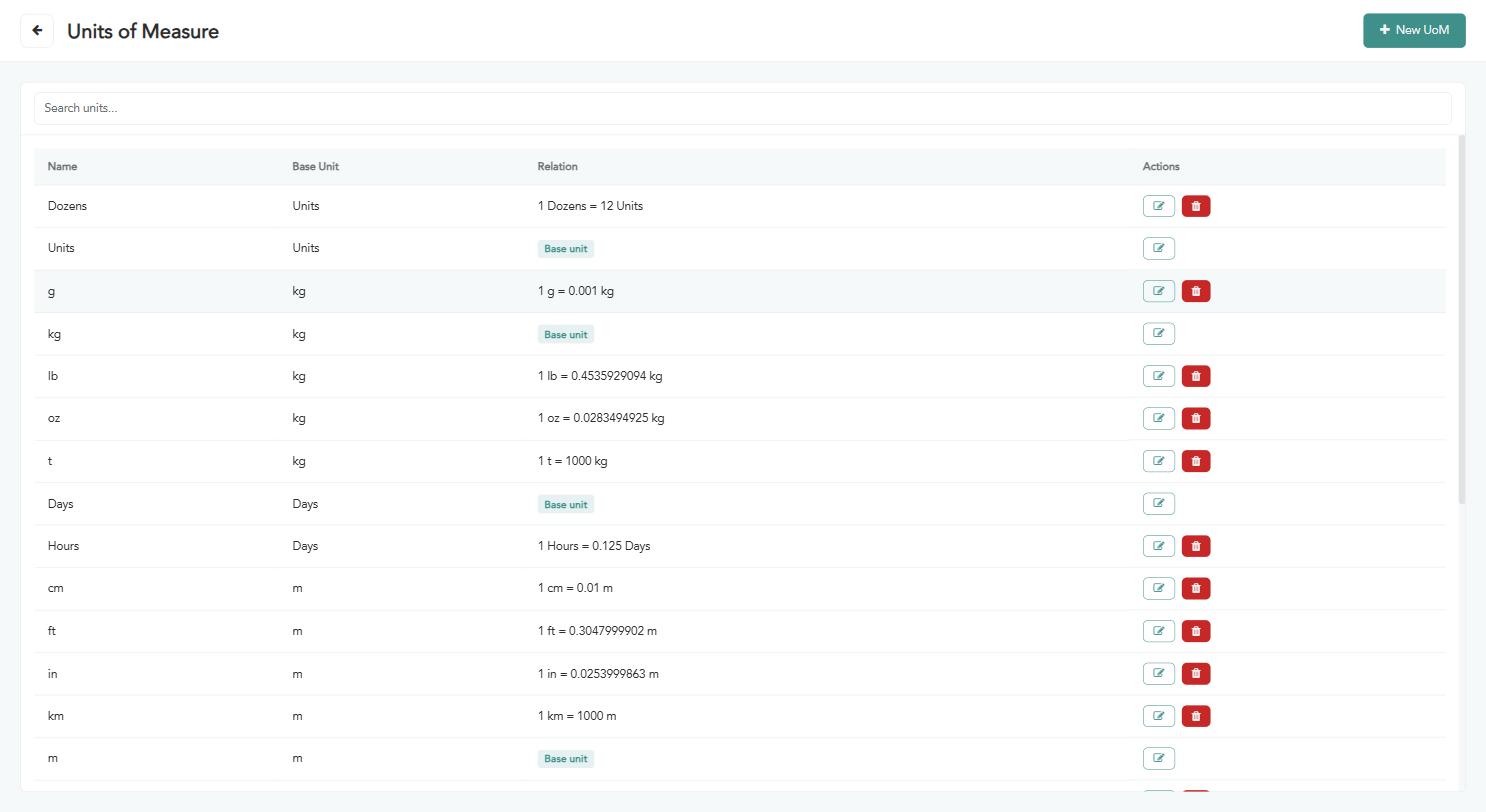
Name — the unit name as it appears on products.
Base unit — the reference unit this unit refers to.
Ratio — the conversion factor, or a “base unit” badge if it is the reference itself.
Actions — edit or delete the unit.
Base units cannot be deleted because other units depend on them, so no delete button is shown for them.
Creating a new unit of measure
Click “New unit of measure”. The following window appears; fill in the fields according to the instructions below:
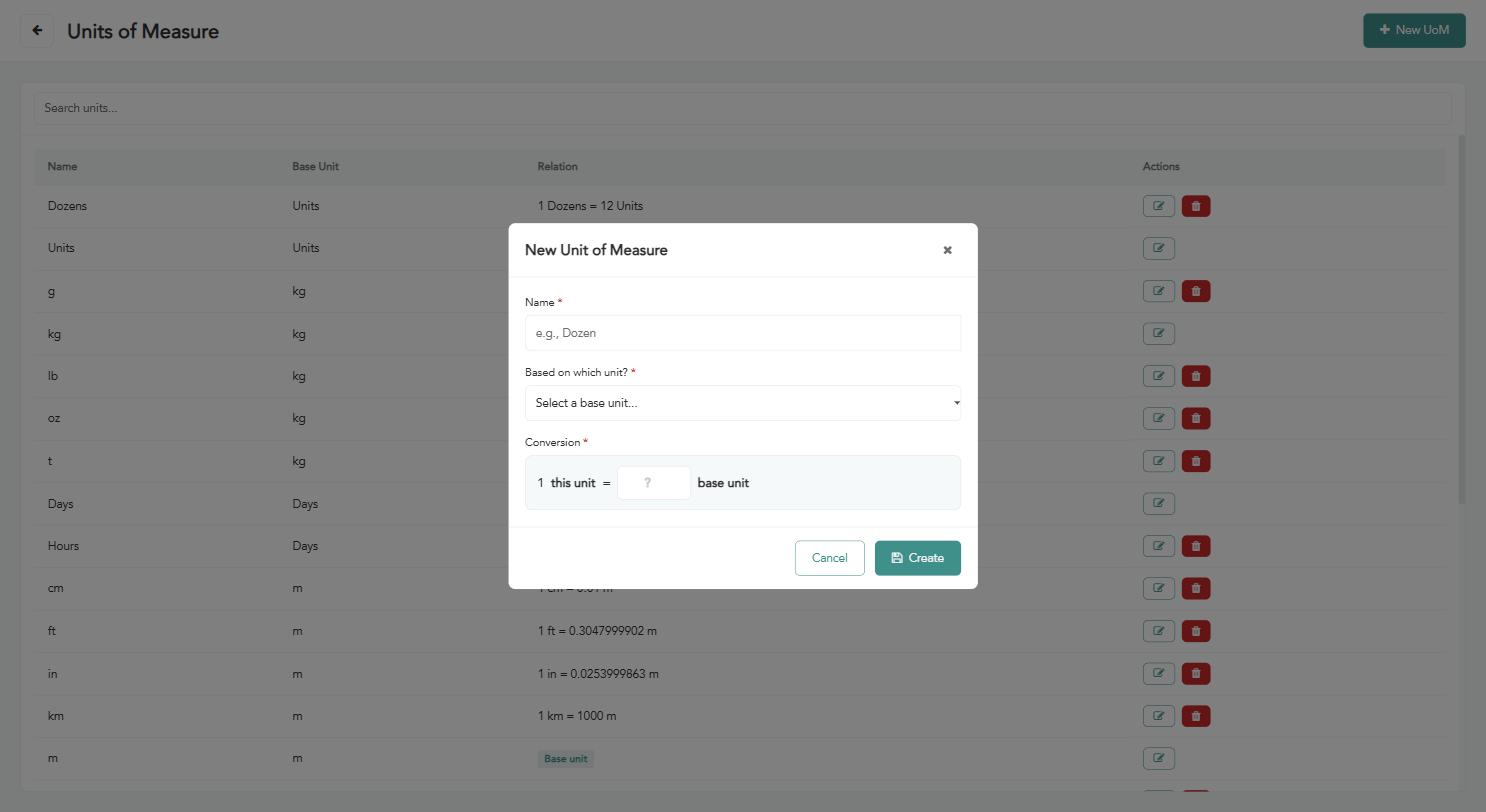
“Name” (required) — the name of the new unit (for example: Dozen).
“Based on which unit” (required) — choose the base unit your new unit refers to.
“Conversion” (required) — enter how much your new unit equals of the base unit. Example: a dozen = 12 units.
Click “Create” to save the unit.
Warning: The conversion ratio directly affects inventory balances and cost calculations. Check it carefully before saving, and avoid changing it once the unit is in use in real transactions.